Crop Disease Detection Apps for African Farmers: A 2026 Guide
Our lead agronomist on choosing between Plantix, PlantVillage Nuru, Faminga Plant Doctor and FarmerChat — what a photo diagnosis can honestly tell you, and how to test one before you trust it.
By Egidie Mutuyimana — Lead Agronomist, Faminga
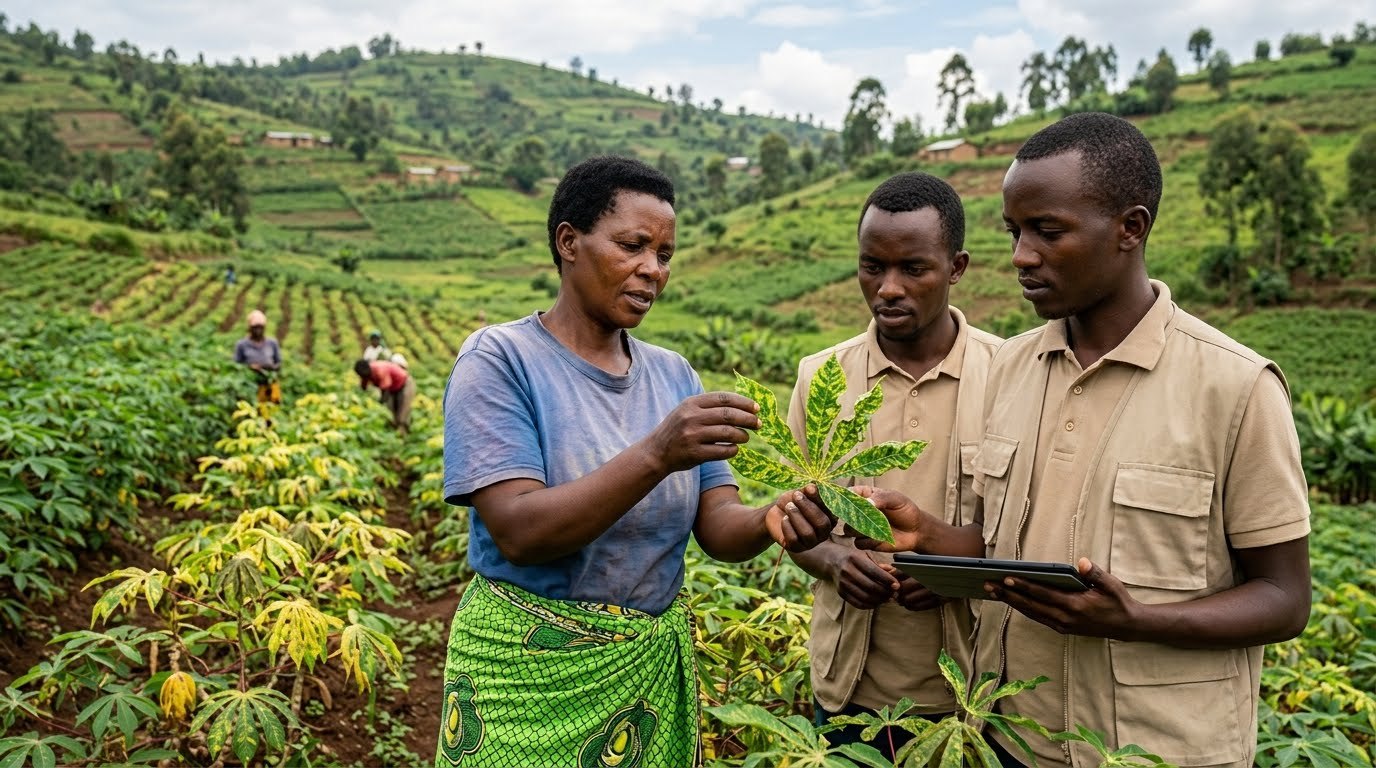
I am the person a crop app hands the problem to when it cannot decide. A photograph arrives, sometimes with a diagnosis attached and sometimes with nothing, and somebody needs an answer before the week turns. That is the job this guide is written from.
Farmers ask me which disease-detection app they should install. It is the wrong first question, and I understand why it gets asked — the app stores make it look like a choice between numbers. One advertises 30 diseases, another 176. The number tells you almost nothing.
What matters is narrower and more awkward: does it know your crop, does it run on the phone in your pocket, and does it tell you honestly when it is unsure? An app that says "I need a better photograph" is worth more than one that returns a confident label for every image you feed it.
Below is how I compare the four tools I am asked about most, and then how to test any of them yourself. Faminga publishes this and Faminga is one of the four. I have tried to be harder on us than on the others, and where I describe a competitor I describe what they publish about themselves rather than what I wish were true. Provider information was checked on 5 September 2026. We have not run a controlled head-to-head trial, so treat this as a guide to choosing, not a leaderboard.
What a photograph can and cannot tell you
An app reads what is visible in the image. It cannot see the four weeks that led to the symptom: what you sprayed, what the rain did, what the neighbouring plot has.
Keep three things apart, because the apps blur them:
- Noticing that something is wrong with the plant
- Naming the likely cause
- Deciding what to do about it
A tool can be genuinely good at the first and still be guessing at the second. And the third is not a technical question at all — it depends on your crop stage, what is legal and available locally, and what you can afford. A label on a screen is not a purchase order for a pesticide.
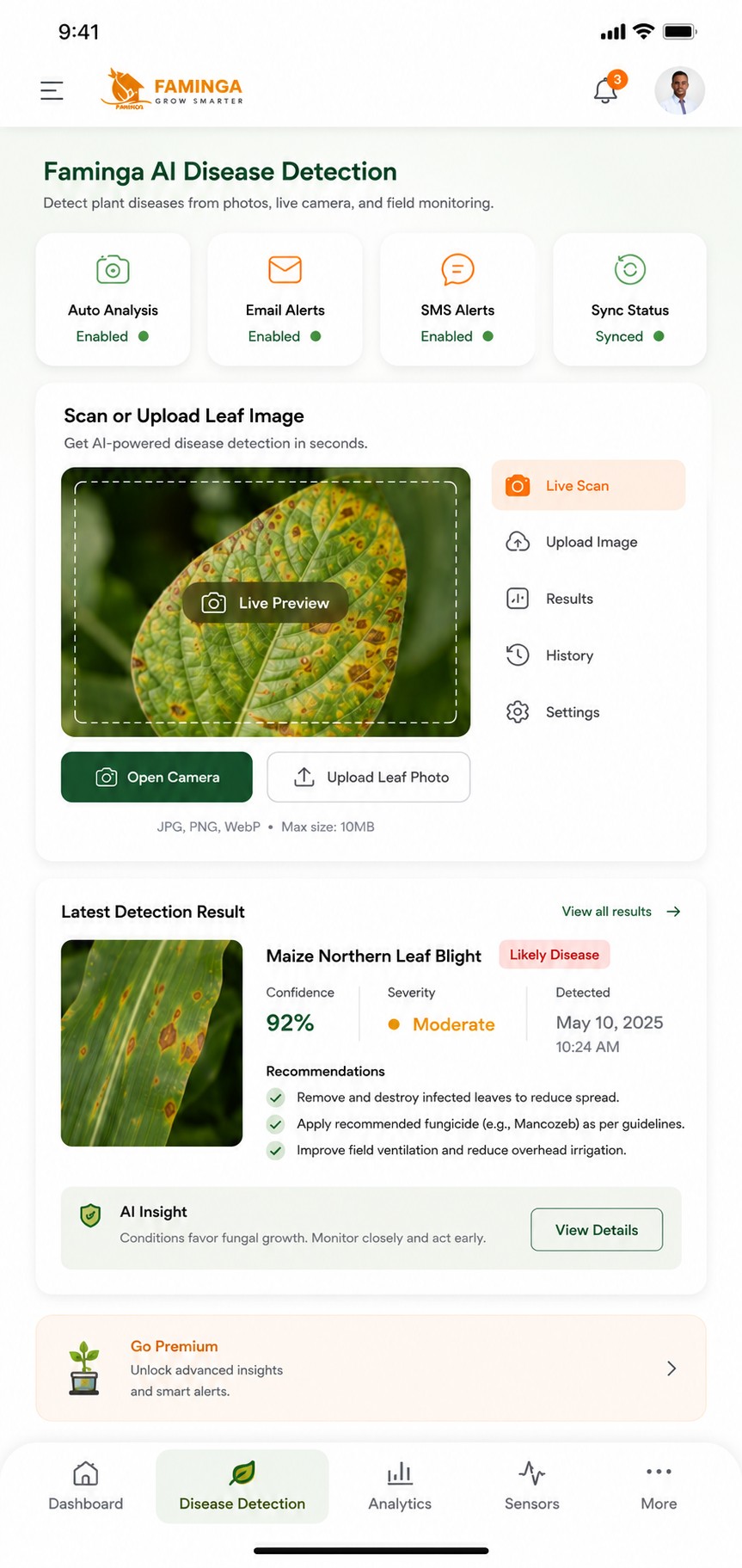
Plantix — the dedicated diagnosis workflow
Plantix's own site describes photographing a plant to get a diagnosis and treatment suggestions, alongside a crop library and a farming community. That combination suits someone who wants to go from "this leaf looks wrong" to reading around the problem.
When you test it, push it where it is weakest: an image with several leaves, bad light, or a problem outside its list. Watch what it does with ambiguity. Does it ask for a better photograph, or does it name something anyway? That behaviour tells you more than the advertised disease count ever will.
PlantVillage Nuru — offline cassava, documented
Penn State published an account in 2019 of Nuru diagnosing cassava from a smartphone with no internet connection. That is real evidence for a specific thing, and it is the strongest offline claim in this group.
It is also narrower than people remember it being. Evidence for cassava, offline, on the handsets of that study is not evidence for every crop on every phone today. If your group grows cassava, ask an extension partner to confirm the current official release and what it supports now. An app opening without a signal is not the same as an app diagnosing your crop without a signal.
Faminga Plant Doctor — diagnosis attached to a farm record
Our Google Play listing advertises 176+ diseases across 33 crops and offline capability. I want to be precise about what that is: a developer-published description. It is not a measured accuracy figure, and the listing does not establish that every model and every treatment workflow runs without a connection.
So hold us to the same test as anyone else. On your phone, on your crop, with the network off — what actually works? Ask for a demonstration on a photograph nobody has seen before.
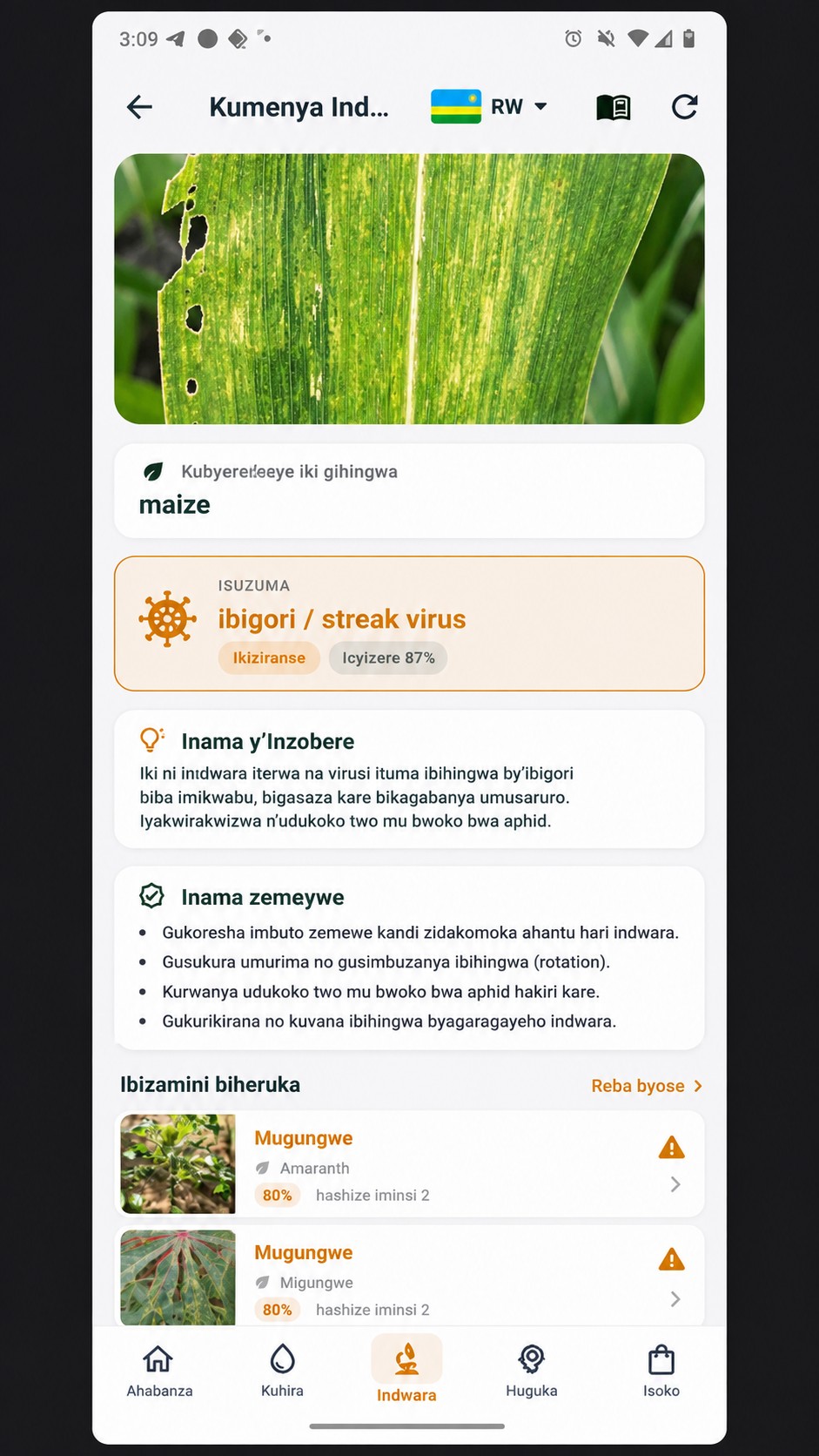
The thing I would actually argue for is the part that is not the diagnosis. A photograph that attaches to a specific field, sits beside the last scan of the same plot and can be reopened in three weeks is worth more than a marginally better classifier that forgets. Disease decisions are made against history, not against one image.
FarmerChat — a conversation rather than a label
FarmerChat takes photographs, voice and text, and answers as a conversation. That matters when the farmer needs to explain something an image cannot carry — that it started after the rain, that only the edge of the plot is affected.
Keep the categories straight when you evaluate it. A good conversation and a validated classifier are different capabilities, and being impressed by one tells you nothing about the other. The question to ask is whether it admits uncertainty and asks for context before recommending anything.
Photograph it so a person can use it too
Most photographs I am sent are unusable, and always for the same reasons. One beautiful close-up of a single lesion, filtered, with no idea which field it came from.
Take three: the whole plant, the affected part, and a wider frame showing how the problem is spread through the plot. Keep the originals. No filters — they move the colours, and colour is half the diagnosis. If it is blurred, take it again before drawing any conclusion from it.
Then write down the crop and variety, the planting date, when symptoms first appeared, anything you have sprayed recently, and whether neighbours have it. Date and field name. This takes a minute and it is what makes the case still useful when the app cannot identify the problem and it lands with me.
One habit to break: photographing the same leaf repeatedly until an app agrees with what you already suspect. Conflicting results are information — they mean go and get more evidence, not keep rolling until you like the answer.
What a good result looks like
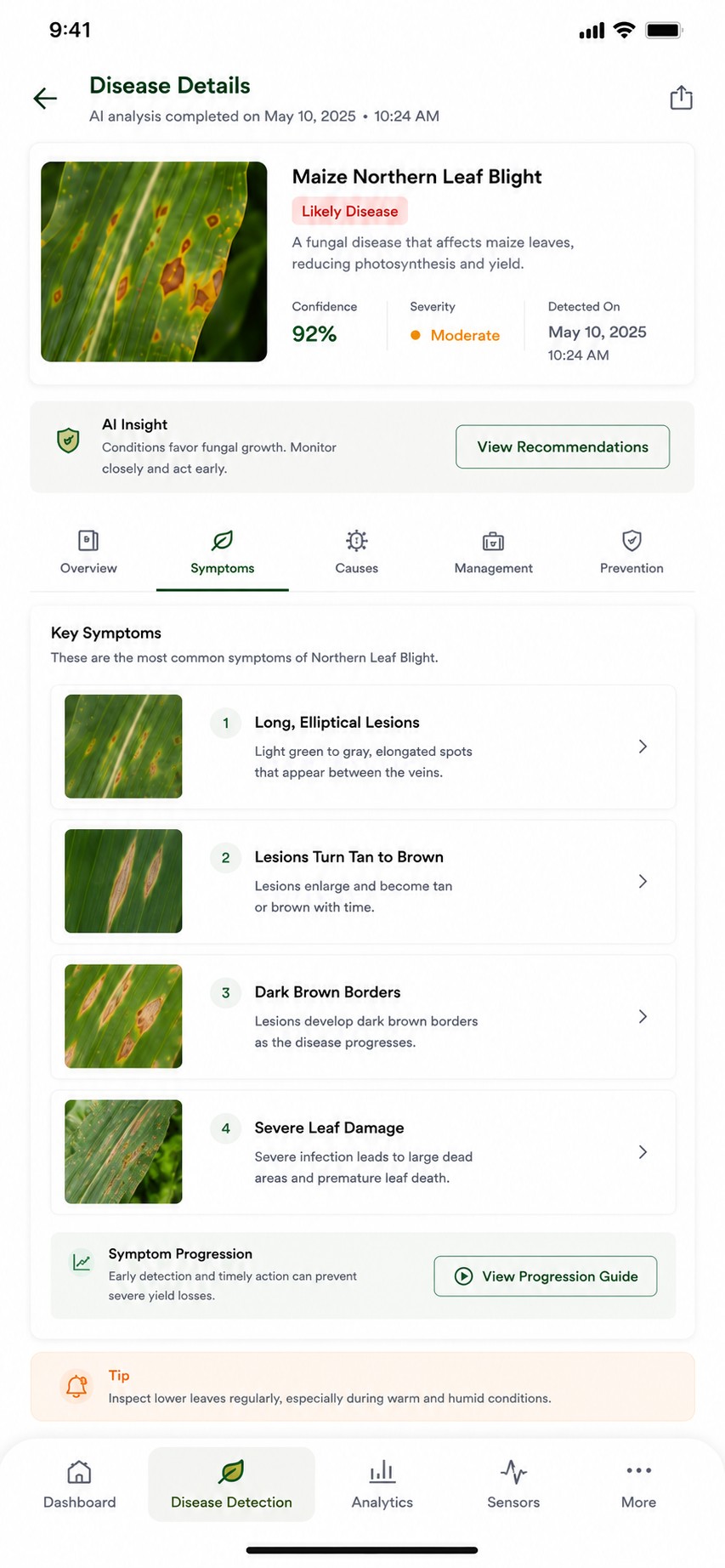
A useful diagnosis screen does not just name the disease. It shows you what to look for, so you can check the plant against it yourself rather than taking the label on faith.
How a cooperative should compare apps fairly
If you are choosing on behalf of members, do not run the vendor's demo. Build your own test set with a qualified crop specialist: cases with an independently established diagnosis, plus healthy plants, plus problems outside the advertised list. Keep those cases away from anything used in a demonstration.
Record the crop, phone, app version and connection state for every test. Then count the two kinds of error separately, because they cost different things: missing a real disease lets it spread, while calling disease on a healthy crop spends money and chemicals for nothing. Count the inconclusive ones too.
An overall accuracy percentage will hide poor performance on the one crop your members actually grow. And a model's own confidence score is not independent evidence — ask the supplier what it represents and how it was validated. If nobody can answer that, treat the number as decoration.
Measure usefulness as well as correctness: did the farmer understand the answer, could the recommendation be acted on with what is available locally, and was there a clear route to a human being?
Test offline properly — it is three capabilities, not one
Install the official app, let it finish any downloads, then turn off Wi-Fi and mobile data. Restart it. Analyse a new photograph. Then check whether the guidance and your saved records are still readable. Then reconnect and confirm the case syncs.
Document those as separate results, because they are separate things: saving a photo offline, reading an old diagnosis offline, and generating a new diagnosis offline. Products routinely do the first two and not the third.
The diagnosis is the beginning of the work
A result is worth something only if it changes what happens in the field this week. For anything serious or spreading fast, send the case to an agronomist or your extension service, and keep the app's output in the record next to the human assessment. That is the only way anyone ever learns whether the advice was right.
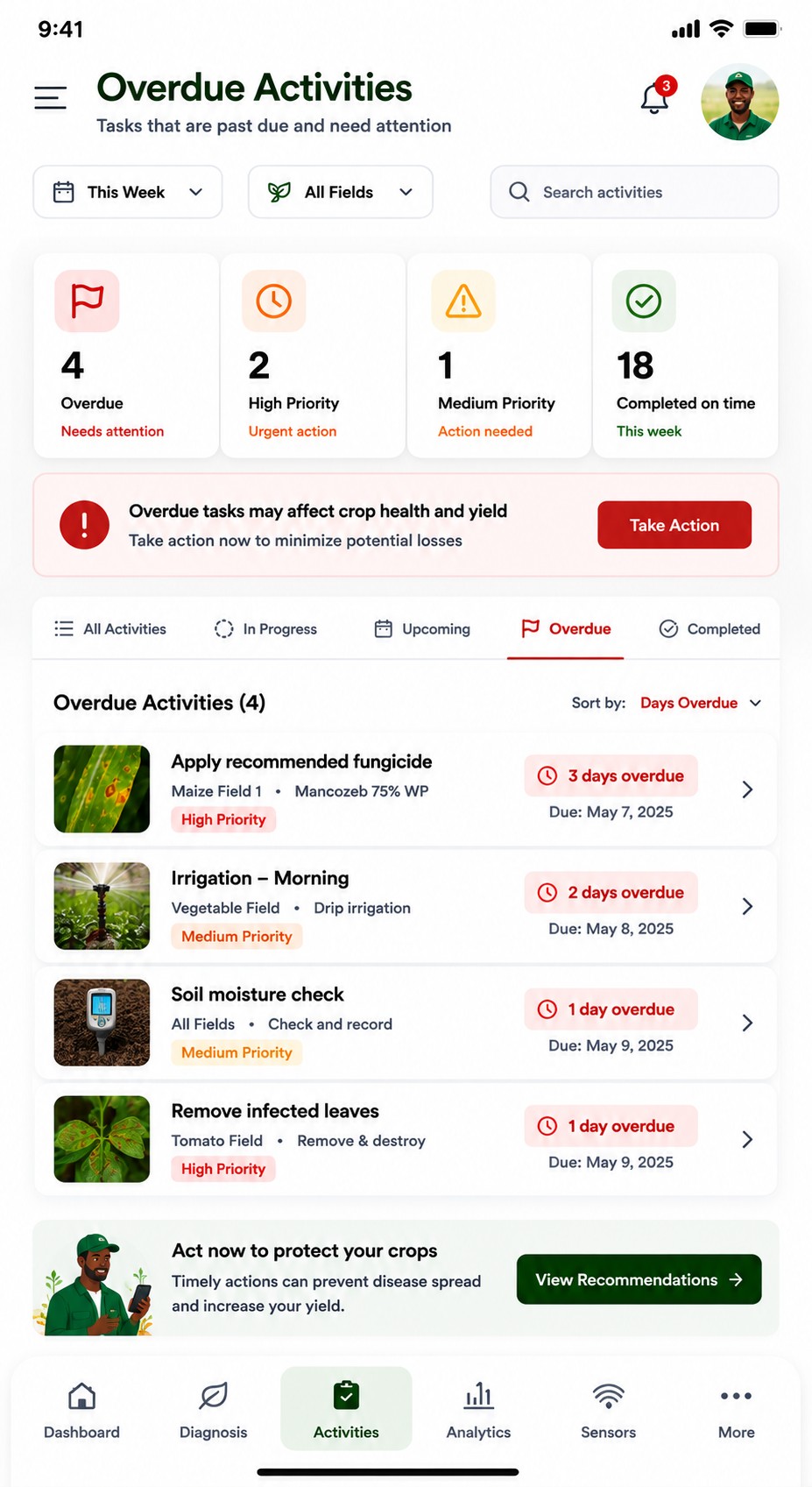
That screen is the honest ending to this article. Every app here can tell you something true about a leaf. None of them can apply the fungicide, and the gap between knowing and doing is where most of the yield is actually lost.
Choose the tool that makes the next step easiest to take — and easiest to check afterwards.
Product descriptions are the providers' own, checked on 5 September 2026. This is a guide to evaluating these tools, not the result of a comparative field trial. Faminga publishes it and appears in it.